Finding the best Elementor portfolio theme is not just about design. Creative professionals need a WordPress theme that loads fast, looks polished on every screen, and makes projects stand out without slowing the site down. For freelancers, designers, photographers, and agencies, the right theme should combine strong visuals, simple controls, and a quick setup process from day one.
Whether you choose a free or premium option, the goal is the same: flexible layouts, easy editing, and reliable performance. A strong Elementor portfolio WordPress theme should help you showcase projects clearly, update content without hassle, and give your site a professional edge. This guide compares standout themes, key features, and practical strengths so you can choose a portfolio theme with more confidence.
Choosing between a free option or a premium theme, smart creators look for more than just templates. They’re want reliable performance, options control and no stress when updating projects. A truly great Elementor portfolio theme means easy editing, flexible layouts, and built-in tools that give every portfolio a professional edge.
Why Use Elementor for a Portfolio Website?
Elementor remains a popular choice for portfolio websites because it makes page building visual and fast. Instead of editing code, users can drag and drop sections, adjust spacing, change colors, and build custom galleries directly on the page. Most modern portfolio WordPress themes now support Elementor because it gives freelancers, agencies, and creatives more control over layouts without adding unnecessary complexity.
Below are some of the best Elementor portfolio themes for creatives, agencies, and freelancers who want a modern site with flexible layouts and smooth performance.
1. Gleam by MatchThemes

Gleam is a strong choice for photographers and visual creatives who want a portfolio site that feels modern without becoming complicated. It includes multiple album variations, gallery layouts, and ready-made page designs that help users publish work quickly. With Elementor and live editing, arranging images and building project pages feels straightforward from the start.
What helps Gleam stand out is its focused feature set. It avoids unnecessary extras and keeps attention on galleries, albums, and visual presentation. The responsive design helps projects look sharp across devices, while the lightweight structure supports better site speed and a smoother browsing experience.
Pricing: $45.
2. Bifrost
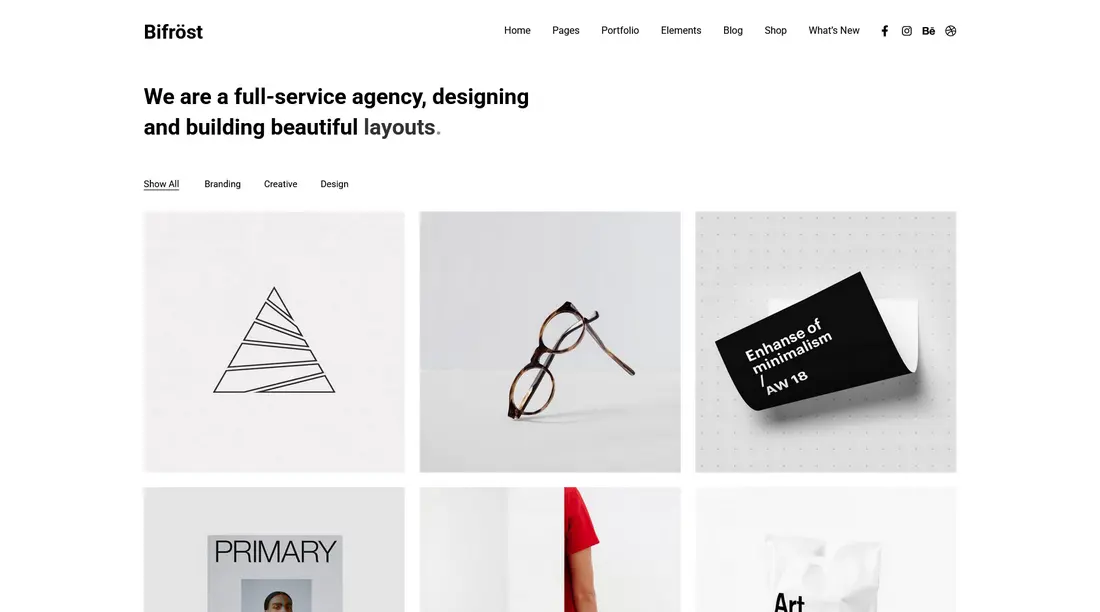
Bifrost works well for freelancers, studios, and agencies that want a clean portfolio layout with flexible page building. Elementor is integrated into the theme, so users can rearrange sections visually and import demo layouts in one click. It also includes built-in gallery and shop features, which makes it useful for creatives who want to combine portfolio work with services or product sales.
The theme lets anyone create portfolio pages that fit many fields, like freelance, studio work, or even agencies. Each layout leans on straightforward lines, open space, and simple design choices for a modern feel on any screen size.
Pricing: $59.
3. Consultus – Photography by MatchThemes

Consultus Photography is a portfolio-style layout built inside the Consultus theme, giving photographers and creative professionals a clean starting point for showcasing work. It includes ready-made home and gallery pages, making it easy to launch a visual site and then replace the demo content with your own images, text, and branding.
Users can customize colors, fonts, headers, footers, and gallery layouts without much effort. This makes the layout a practical option for photographers or studios that want a flexible portfolio presentation without an overloaded setup.
For creative professionals needing a practical, clean setup that doesn’t get in the way, Consultus gives just enough variety for different tastes and projects.
Pricing: $59.
4. Oraiste

Oraiste is built for creatives who want a more expressive portfolio style. It includes several homepage variations, multiple portfolio image gallery formats, and Elementor support for visual editing. Features like masonry layouts, sliders, and animated transitions help projects feel dynamic while still keeping the site easy to navigate.
Pricing: $85.
5. Hubfolio
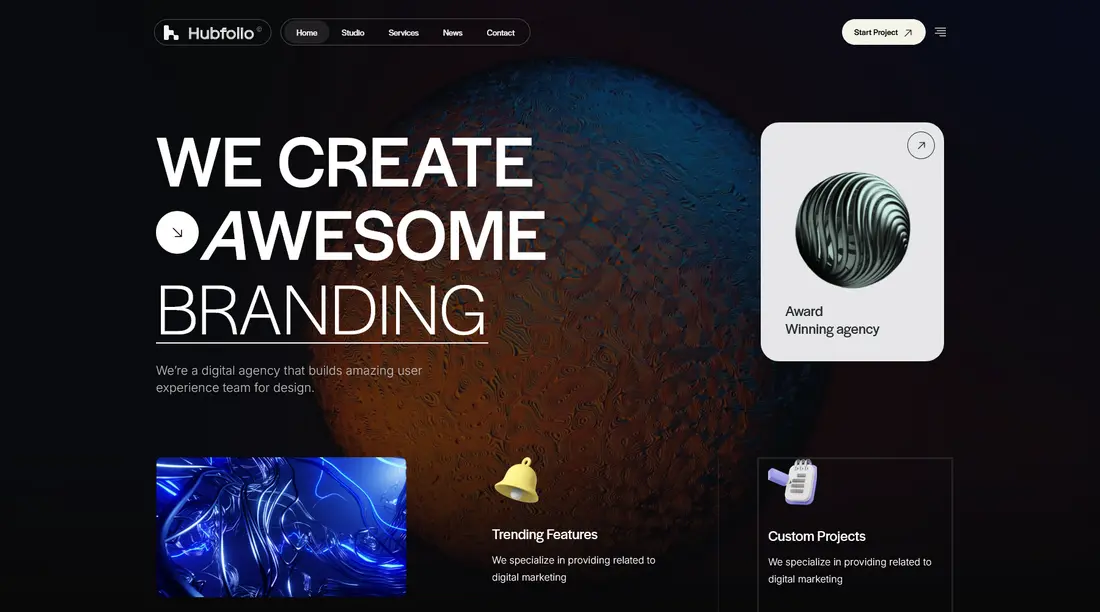
Hubfolio is better suited to digital agencies and freelancers who want a portfolio site with stronger business features. Alongside portfolio grids and carousel layouts, it adds extras like dark mode, mega menus, and WooCommerce support. That makes it a good fit for agencies that need both project showcases and commercial pages in one site.
Hubfolio supports many portfolio layouts such as grid, masonry, and carousel styles, helping projects stand out visually while keeping visitors engaged. The theme blends clean design with practical features like dark mode, mega menus, and WooCommerce support for those selling products or services online. Animations and smooth scroll effects add polish, creating a dynamic browsing experience.
Pricing: $59.
6. Nui

Nui blends a clean portfolio structure with interactive design details such as smooth transitions, parallax effects, and dark or light mode options. It suits artists, agencies, and freelancers who want a more contemporary browsing experience while still keeping project pages easy to scan.
Several ready-to-use demos and content blocks speed up setup, while animation and interactive features give the site a lively feel. SEO-friendly and mobile-optimized, it supports professionals who want to showcase their projects effectively without complexity.
Pricing: $69.
7. Billey

Billey is a flexible Elementor theme for creators, agencies, and freelancers who want a polished portfolio with room to grow. With 20+ demo homepages and a large set of templates, it works for photography, design, branding, and studio websites. WooCommerce support also makes it easier to add a shop or sell digital services alongside portfolio work.
Pricing: $69.
8. Bfolio

Bfolio focuses on bold presentation without overcomplicating the setup. Light and dark mode options, hover effects, project grids, and full-width case study layouts help creatives build a site that feels modern and visually engaging. It also includes business-friendly sections like testimonials and pricing tables, which makes it useful for freelancers and small studios.
The theme comes packed with a variety of layouts, including hero sections, project grids, and full-width case studies, giving flexibility to match any creative style. Responsive and fast-loading, Bfolio is built to work seamlessly across platforms while maintaining SEO-friendly code.
Pricing: $69.
9. Lekker

Lekker is a colorful portfolio theme aimed at designers, illustrators, studios, and creatives who want more personality in their site. It supports Elementor and Gutenberg, and includes masonry grids, sliders, galleries, and WooCommerce compatibility. This makes it a strong option for users who want to combine visual storytelling with store functionality. Lekker is responsive, so sites look sharp across phones, tablets, and desktops.
Pricing: $79.
10. Osty
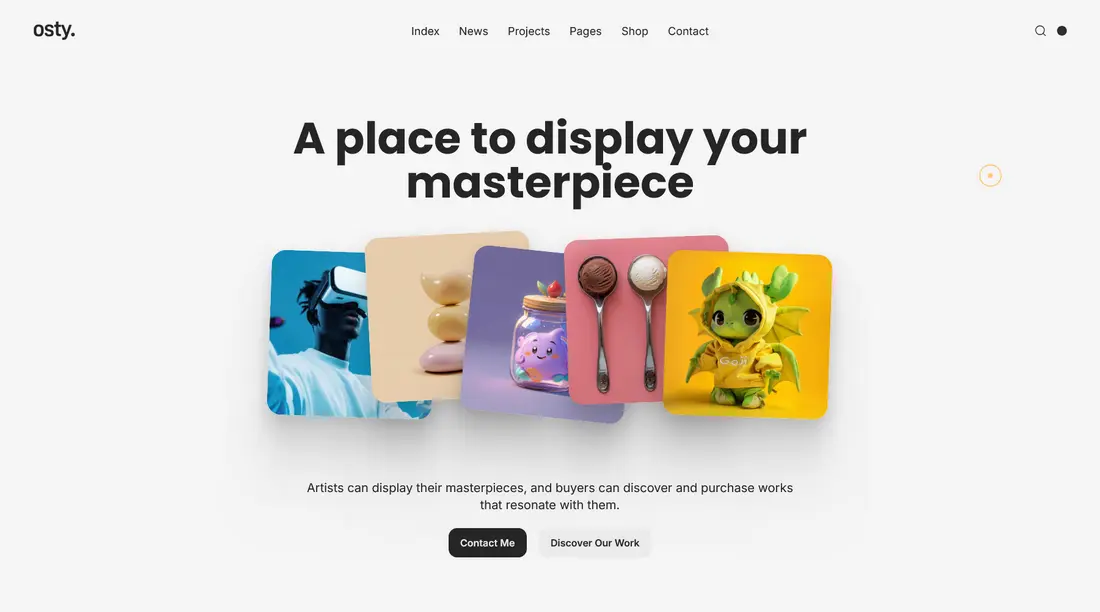
Osty is a practical portfolio theme for agencies and freelancers who want a fast setup and flexible layout choices. It includes ready-made homepage designs, project grids, masonry layouts, hero sections, AJAX filters, and WooCommerce support. The result is a portfolio site that can be adapted for both creative showcases and service-based businesses.
Pricing: $59.
11. Asli

Showcase your creativity with Elementor portfolio templates by Asli! Perfect for designers and studios, this theme delivers speedy AJAX transitions and eye-catching WebGL effects.
Swap images, adjust color themes, and pick from a selection of stylish demos—all changes happen instantly, no coding needed. Asli works smoothly across devices and offers infinite scrolling for easy portfolio browsing. The theme is ready for WooCommerce, multilingual content, and one-click demo import.
Pricing: $59.
12. Ukko
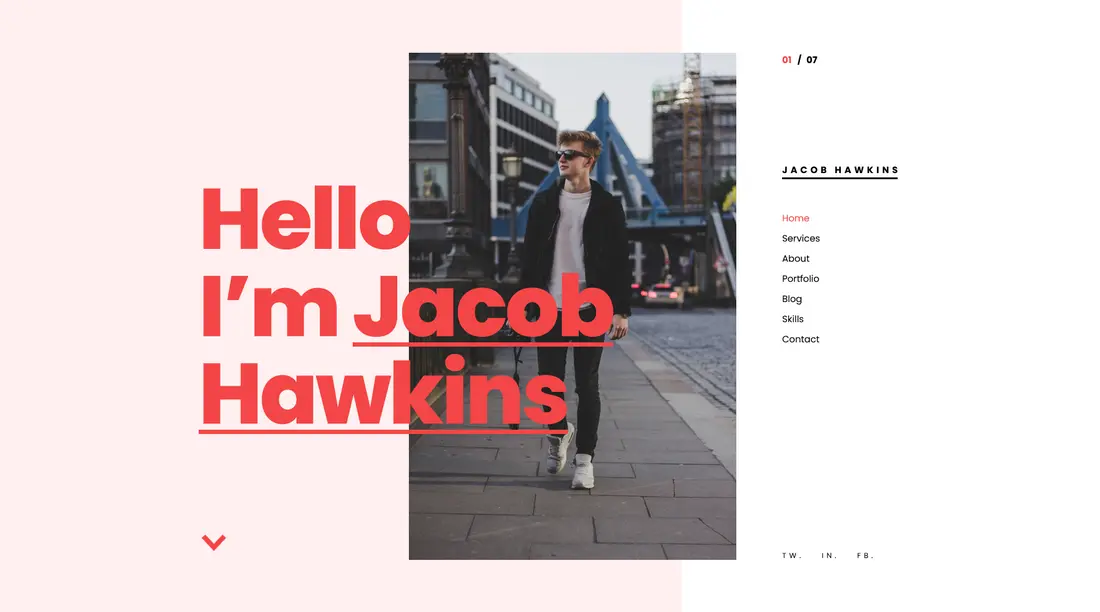
Ukko is a handy choice for freelancers, designers, and anyone building a personal CV or resume WordPress site that needs visual impact and flexibility. It uses Elementor’s drag-and-drop builder and a one-page design, so users can arrange content with just a few clicks. Eye-catching scroll effects, project grids, and parallax elements keep your portfolio interesting for viewers.
Ukko brings more with AJAX-based project loading that feels fast and modern. Smooth transitions and easy multi-language support widen your reach. It supports child themes, includes demo content for a head start, and works with all major browsers.
Pricing: $39.
13. Leverage

Leverage brings a modern, flexible setup for creative agencies, studios, and personal portfolios. It works closely with Elementor, providing a wide range of ready-to-import demos so you can set up a strong online presence almost instantly. Choose between one-page or multi-page layouts, all designed to showcase projects, services, and client stories clearly.
The theme also features clean menus, fast loading times, and options for both dark and light styles. Social media integration, WooCommerce support make adding extra functions quick.
Pricing: $75.
14. Solis
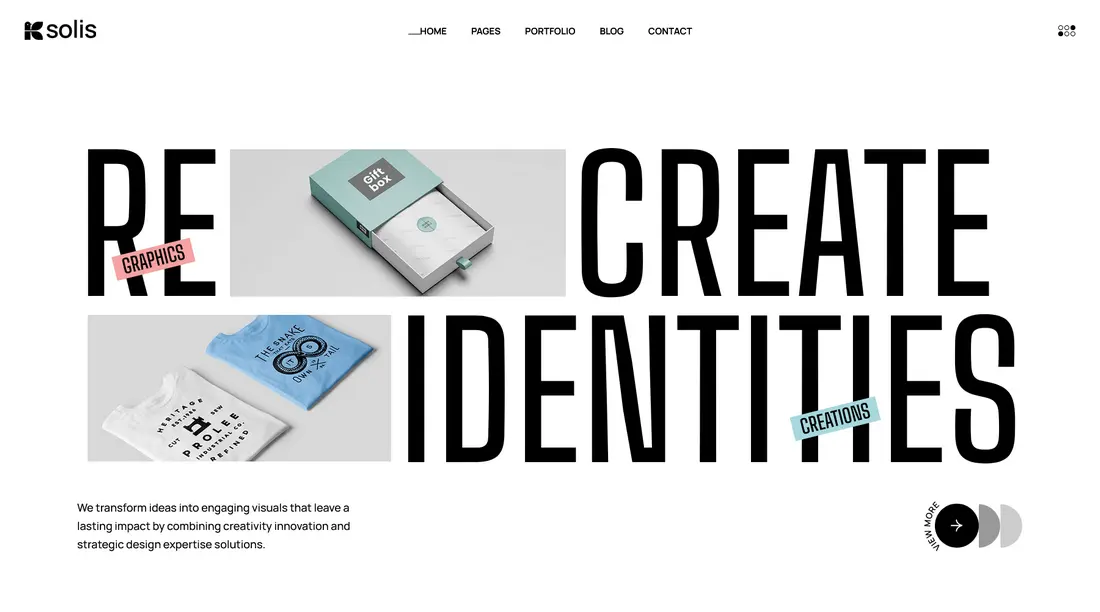
Solis is a useful option for agencies and studios that want a clean portfolio setup with modular sections. It includes hero blocks, testimonials, calls to action, flexible grids, and gallery options for both image and video portfolios. The responsive structure also helps portfolio pages look consistent across devices.
Pricing: $59.
Ready to Build Your Elementor Portfolio Website?
For users who want a simple starting point, Gleam is a strong option. It combines stylish homepage layouts, gallery-focused design, one-click demo import, and Elementor editing in a setup that stays practical for photographers and visual creatives. The responsive design and performance-focused structure also make it easier to build a portfolio site that looks professional without becoming heavy or difficult to manage.
Questions About Elementor Portfolio Themes
Is Elementor free for portfolio sites?
Elementor’s free version is enough to build a professional portfolio site with core widgets and layout controls. Elementor Pro adds advanced design tools, theme builder features, extra templates, and premium widgets. Most themes in this list work with the free version, but Pro gives you more flexibility.
Will my WordPress portfolio theme slow down my website?
A portfolio theme can affect site speed, but not all themes are heavy. Options like Gleam and Consultus Photography focus on cleaner layouts and lightweight structure. Good hosting, optimized images, and only using necessary plugins matter just as much as the theme itself.
Can I switch themes later without losing my work?
Yes, you can switch themes later without losing your posts, pages, or media files. However, layouts, styling, and some theme-specific features may need to be adjusted after the switch. Always back up your site first and preview the new theme before going live.
Are Elementor portfolio themes good for SEO?
Yes, Elementor portfolio themes can be good for SEO when they use responsive layouts, clean code, and fast-loading design. Better results usually come from combining the theme with image optimization, proper heading structure, internal links, and an SEO plugin.
Can Elementor portfolio themes be used for online stores?
Many Elementor portfolio themes also support WooCommerce, which means you can add shop pages, sell products or services, and combine portfolio content with eCommerce features on the same website.