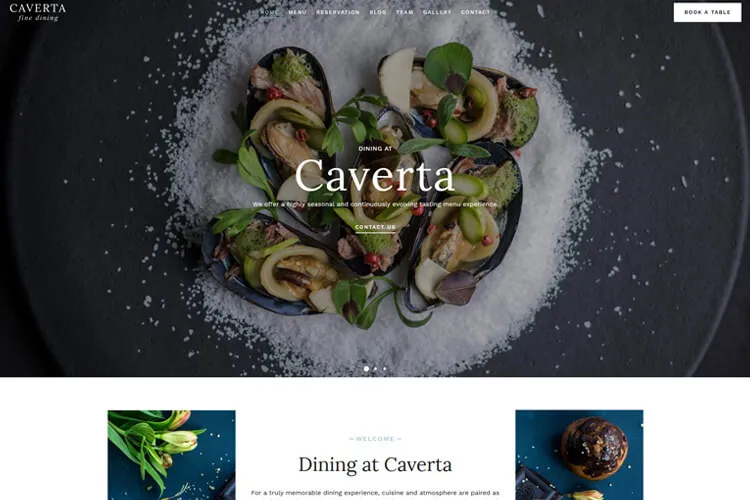
The best free WordPress slider plugins can help you showcase images, videos, posts, and testimonials without making your site feel heavy or difficult to manage. A good slider plugin should be easy to use, responsive on mobile devices, and flexible enough to fit the style of your site.
In this guide, you’ll find 9 free WordPress slider plugins, along with key features, pricing details, and notes on which type of site each plugin suits best. The goal is simple: help you choose a plugin that improves presentation without hurting performance.
Why Use a Free WordPress Slider Plugin?
Here’s the thing: sliders can make your site visually engaging and interactive. Whether you want to display an image carousel, a video slider, or testimonials, these plugins deliver impressive functionality without extra costs for the core versions. Free plugins are often lightweight, easy to use, and perfect for beginners. Plus, they’re rigorously tested to ensure compatibility with WordPress standards.
Top Free WordPress Slider Plugins
Before choosing a slider plugin, look at more than just visual effects. A good option should be responsive, easy to configure, and lightweight enough to avoid slowing down your pages. It also helps if the plugin supports the editor or builder you already use, whether that is Gutenberg, Elementor, or a classic shortcode setup.
1. Smart Slider 3

Smart Slider 3 is a popular WordPress slider plugin that makes adding image and video slides simple. It comes with a drag-and-drop editor and ready-made templates that help you set up slides quickly. The plugin works with shortcodes and PHP snippets, which makes placing sliders on your site very straightforward. The free version covers the basics well, while the premium version unlocks more advanced animation and layer controls. The design tools let you change sizes, animations, and controls without writing code, making it a great tool for any site.
Restaurant websites could benefit a lot from Smart Slider 3. The slider adds a visual touch that draws attention to dishes and events. High-quality photos of food menus, interiors, and staff can be shown in a lively slide show. This creates a warm, inviting vibe that resonates with potential diners. The plugin’s responsive design works on both desktops and phones, which is key for busy restaurant sites.
Pricing: free version, premium from $49.
2. Meta Slider

Meta Slider is a trusted WordPress tool that makes slide shows simple and clear. It includes several slider modes and preset themes, making it easier to match different site styles. Users can add images or videos with captions and links. The interface is straightforward, so even beginners can set up a WordPress photo gallery quickly. Its light file size means your site stays fast. The design fits well with various page builders and custom code can be added for extra detail.
This plugin adapts smoothly across devices from desktops to phones. It provides several preset slideshow themes along with options to change transitions. Its drag-and-drop feature makes rearranging slides quick and hassle-free. A free version is available, and a premium plan offers additional features for more dynamic presentations.
Pricing: free version, premium from $39/year.
3. Soliloquy

Soliloquy is a WordPress slider plugin that makes creating slides a quick task. It offers a simple drag-and-drop editor and a variety of ready-made templates. Users can add images or videos and adjust transitions without writing a single line of code. The plugin works well on phones, tablets, and desktops.
The tool adapts easily to different site styles and supports modern editors like Gutenberg. Adding, rearranging, or removing slides happens in seconds. With a light file size and smooth performance, Soliloquy helps display content on your photography website in a vivid and engaging way. It is a good fit for users who want a simpler slider setup with minimal overhead.
Pricing: free version, premium from $19.5/year.
4. Depicter Slider

Depicter Slider is a free tool for building visually rich slideshows with images, text, and video. It has a drag-and-drop editor that makes adding photos, text, and video clips a breeze. An AI Wizard asks for simple details like your site’s focus and preferred slide count, then offers suggestions on layouts and colors. The plugin also comes with an asset library full of ready-made images and videos. Built-in editing tools let users adjust slides on the fly without extra software.
WordPress photography websites could benefit from Depicter Slider’s clear design and fast performance. It displays high-quality images in a clean format and handles effects smoothly. The slider supports both touch and click actions, which works well on all devices. Adjustable slide settings mean photographers can show off their work without slowing down their pages. Overall, Depicter Slider gives photographers a simple way to craft attractive galleries and portfolios that highlight their best shots.
Pricing: free version, premium from $29/year.
5. Ultimate Responsive Image Slider

Ultimate Responsive Image Slider makes photo displays simple and clean. The tool lets users upload many images at once and adjust each slide’s size and speed. Shortcodes let you drop the slider into posts or pages with little fuss. Settings are clear, so even beginners can change autoplay, thumbnail positions, and slide order.
This slider keeps photo details sharp on phones, tablets, and desktops. Its design minimizes extra code so pages do not slow down. It works especially well for image-heavy sites that want a simple, image-first slider without too many extra effects. Photos appear neat and bright, and adjustments happen quickly with its easy controls. This makes it a great choice for image-heavy sites that prioritize a fast website and quality.
Pricing: free version, premium from $35.
6. GutSlider

GutSlider is a plugin designed specifically for the Gutenberg editor. It offers flexibility and speed, making it a great tool for anyone looking to enhance their website’s visual appeal.
The plugin stands out for its lightweight design, ensuring your site stays fast while delivering smooth slider functionality. Scripts only load on pages where the block is active, so you don’t have to worry about unnecessary bloat slowing things down. If you already use Gutenberg heavily, GutSlider keeps slider creation inside the block editor instead of relying on a separate builder workflow.
Customization is another strong point. GutSlider lets you tweak animations, slide timings, and layout styles to fit your site’s branding perfectly. From testimonials to product showcases, the plugin supports various slider types and carousel formats, giving users plenty of creative freedom.
Pricing: free version, premium from $19/year.
7. Prime Slider – Addons For Elementor

Prime Slider is a dynamic WordPress plugin built exclusively for Elementor users. It simplifies the process of creating visually engaging sliders, making it an excellent tool for websites that want to stand out. Whether you’re showcasing products, blog posts, or promotional content, Prime Slider offers a range of pre-designed templates and customization options to help you craft professional sliders in minutes.
The plugin comes packed with over 30 free widgets and 75+ ready-to-use slider designs. From image sliders and carousels to WooCommerce product displays and testimonial sliders, it covers a variety of use cases. Its responsive design ensures your sliders look flawless on any device, while features like autoplay, multimedia support, and customizable animations add an extra layer of interactivity.
For Elementor users, Prime Slider is a strong option if you want more visual variety and widget-based slider layouts without leaving the builder.
Pricing: free version, premium from $30/year.
8. Social Slider Feed

Social Slider Feed pulls streams from Instagram, Facebook, YouTube, and TikTok into one easy slider. Setup is straightforward, and the plugin works best for sites that want to turn social content into a slider without building a custom gallery manually.
The plugin offers different views like slider, masonry, or thumbnail mode. It lets you adjust image sizes, spacing, and the number of images. It works on desktops, tablets, and phones alike.
Pricing: free version, premium from $55.
9. Post Slider

Post Slider is a versatile plugin for WordPress that lets you display your posts in an engaging slideshow or carousel format. Whether you’re highlighting recent articles, featured posts, or trending content, this plugin makes it easy to create visually appealing displays without requiring coding skills.
The plugin supports responsive designs, ensuring your sliders look great on every device. With options to filter posts by category, tag, or custom taxonomy, it offers flexibility for organizing your content. Whether you want a simple slider or a multi-post carousel, this tool gives you control over features like pagination speed, post order, and image optimization. It is a useful option for blogs, magazines, and content-heavy sites that want to highlight recent or featured posts in a more visual format.
Pricing: free for core version, premium from $49/year.
The best plugin depends on what you want to display. Smart Slider 3 and Meta Slider are strong all-around choices for general sites. GutSlider makes more sense if you work mainly in Gutenberg, while Prime Slider is a better fit for Elementor users. If your focus is on blog content, Post Slider stands out, and if you want to turn social content into a feed-based slider, Social Slider Feed is the more specialized option.
Final Thoughts on Free WordPress Slider Plugins
The right free WordPress slider plugin depends on what you want to show and how you build your site. Some plugins are better for image-heavy homepages, others work best for blog content, social feeds, or builder-specific workflows like Gutenberg and Elementor. The most important thing is to choose a plugin that supports your content without adding unnecessary weight.
Before choosing one, test how the plugin handles responsiveness, image loading, editor compatibility, and ease of setup. A slider should improve presentation, not complicate site management or slow down your pages.
WordPress Slider Plugin FAQ
What Is a WordPress Slider?
A WordPress slider is a feature that cycles through images, videos, or other types of content in a slideshow format. It typically uses animations to switch between slides and is controlled by a plugin or built-in theme option.
Which WordPress slider plugin is best for performance?
If performance is your main concern, lightweight plugins that load assets only when needed are usually the best choice. GutSlider stands out for Gutenberg users because it only loads scripts where the block is active, while simpler plugins like Meta Slider or Ultimate Responsive Image Slider can also work well if you avoid oversized images and unnecessary effects.
Can I Use Multiple Sliders on a WordPress Page?
Yes, you can use multiple sliders on a WordPress page. Many slider plugins let you create more than one slider and insert them in various sections using shortcodes or page builder widgets. This flexibility lets you highlight different content areas on the same page.
How do WordPress Slider Plugins impact a site’s performance?
WordPress slider plugins affect site performance in several ways. They can add extra load time if too many high-resolution images or videos are used without proper optimization. On the other hand, lightweight plugins with options for lazy loading or WordPress cache plugins can minimize any delay. Balancing visual appeal with optimal performance is key.
Can I use sliders to showcase video content?
Sliders can showcase video content too. Many plugins support embedding videos from popular platforms such as YouTube or even self-hosted files. This allows you to mix images and video slides in one cohesive display.
Are WordPress Slider Plugins mobile-friendly?
Most modern WordPress slider plugins are built to be mobile-friendly. They use responsive design techniques so sliders adjust smoothly across different devices, from desktops to mobile phones, providing a consistent user experience.